Product Design · Notifications · Google
A PM-selected special project redesigning top-of-funnel notification patterns for Google Ads. Surfacing the right signal at the right time.
The Challenge
Google Ads Help was a search box and a list of articles. It didn't know which account you managed, whether your ads had stopped running, or if you had an open support case. Every user got the same blank home screen regardless of whether their account was healthy or on fire.
For agency managers running dozens of accounts, this meant manually checking each one, then navigating to support when something was already broken. The Help Center had the data to be smarter. It just wasn't using it.
How It Started
This wasn't a standard sprint task. A PM on the Google Ads Help team selected me to rethink how the Help Center home and article pages worked for multi-account users. The existing experience was the same for everyone: search, read, escalate. There was no personalization, no account awareness, and no proactive surface.
I had to redesign three surfaces within Google's Material system: the Help Center home, the case list, and the help article page. Each needed to become account-aware without adding complexity for single-account users.
The Approach
Design Decision
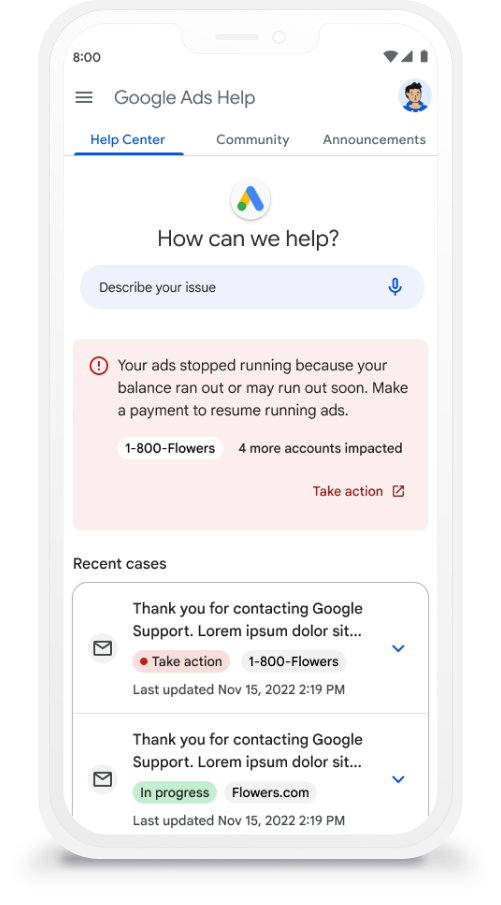
Screen 01: Proactive alert
The banner names the account and the problem. "Your ads stopped running" plus "1-800-Flowers" and "4 more accounts impacted" gives immediate scope.
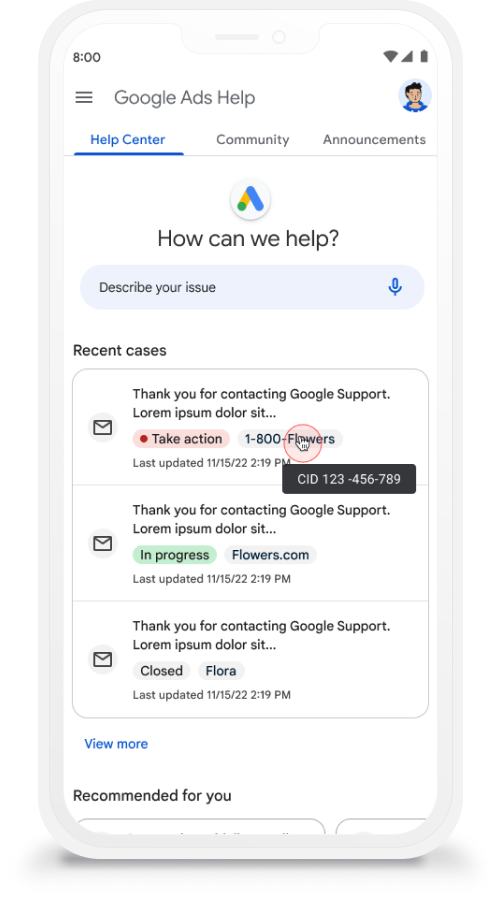
Screen 02: Case tracking
Status chips and account tags replace generic case lists. Hover reveals the CID. Managers triage across accounts without opening each case.
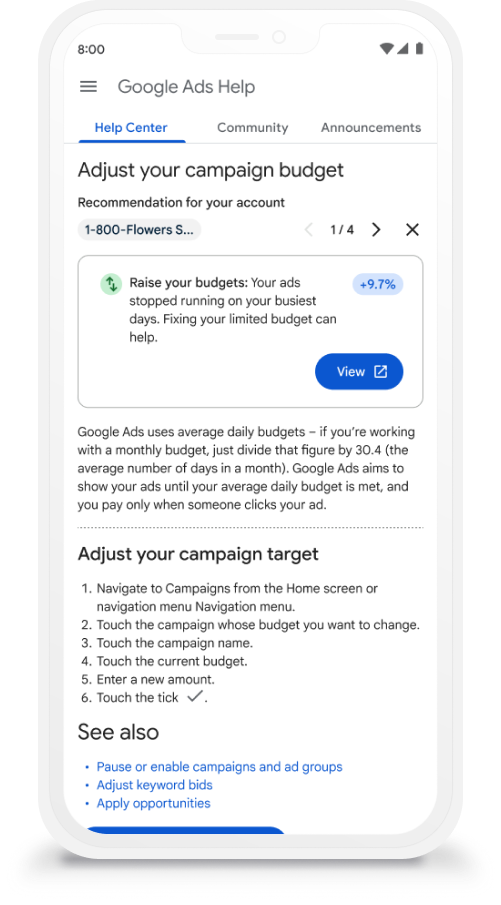
Screen 03: Recommendation card
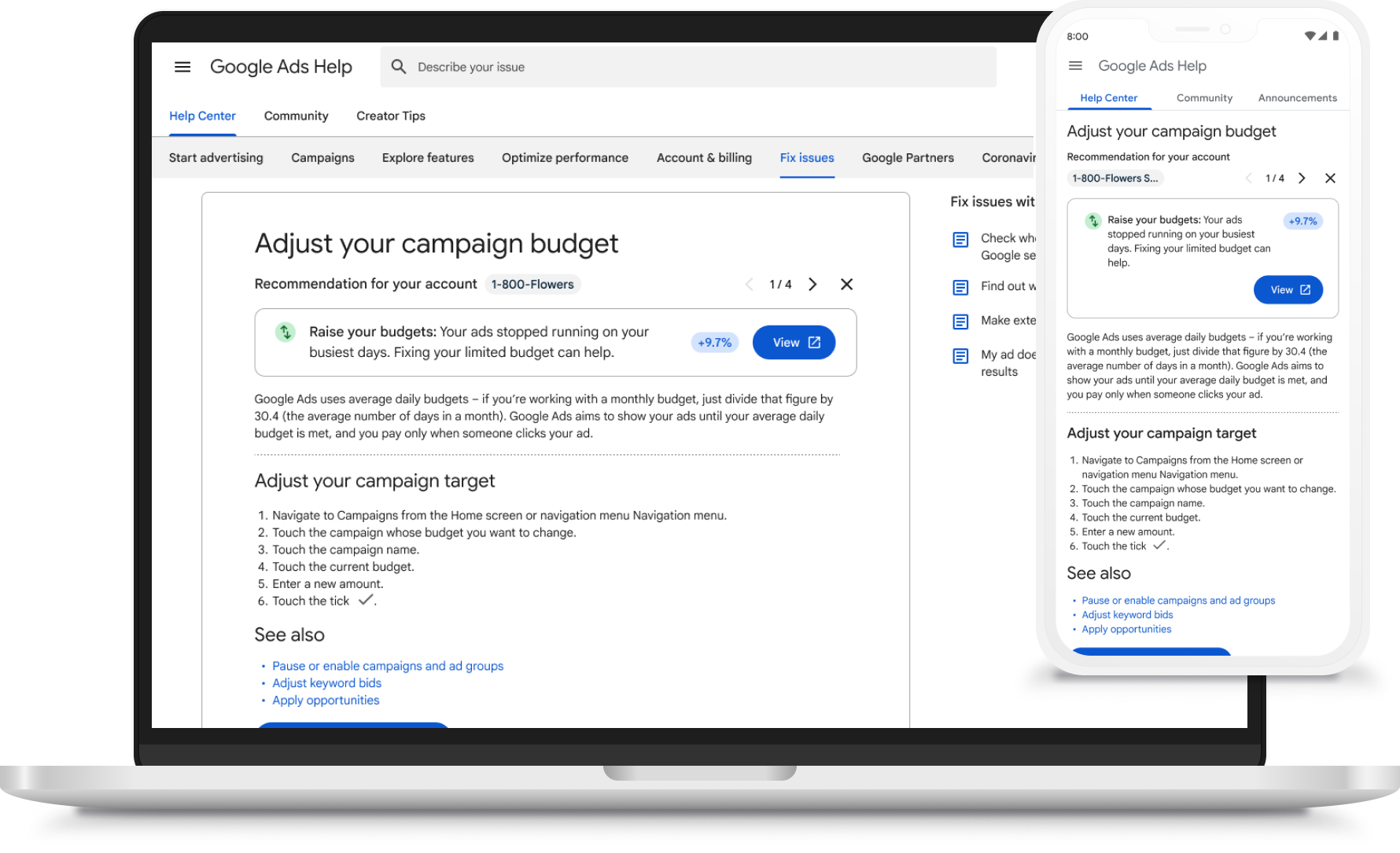
The card names the fix and quantifies the impact. "Raise your budgets: +9.7%" inside the article so the user can act without leaving the page.
Desktop
On desktop, the recommendation card pattern expanded into a persistent sidebar. The "Fix issues" tab collected all active account problems into a single surface: what's broken, which account it belongs to, and how to fix it. Users could read the help article on the left and take action on the right without switching between accounts or opening new tabs.
What Made It Work
The hardest design problem was the alert banner. A single component had to communicate urgency, identify the affected account, indicate how many other accounts shared the same issue, and provide a clear action. Getting that hierarchy right meant single-account users saw a simple, clear alert while agency managers saw the full scope of impact across their portfolio.
The same principle applied to the case list: status chips had to be scannable at a glance, account tags had to be distinct enough to differentiate without cluttering, and the CID tooltip had to be discoverable without being intrusive. Every pattern was tested with agency managers who were used to ignoring generic notifications.
Outcome