No-Code · Competitive Design · Partner Tools · Revi OS

Studied the competition.
Rebuilt it simpler.
Dozens of their customers switched.

The goal was explicit: build a website and app creation tool that made the leading competitor look hard to use. We reviewed their product, found every friction point, rebuilt it cleaner, and watched dozens of their customers switch.

Lead Designer · UX Audit
Leading restaurant platform
Web · Partner Dashboard · Revi OS
Revi
COMPETITOR
REVI OS

Same capability. Fraction of the complexity.

The target was the market leader. The goal was to do more — and make it feel simpler.

The competitor had a strong position in restaurant website and app creation, but their builder was rigid. Single-brand only, limited customization, and no way to handle the complex organizational structures (multi-brand groups, franchise operations, shared menus across locations) that Revi's partners actually ran.

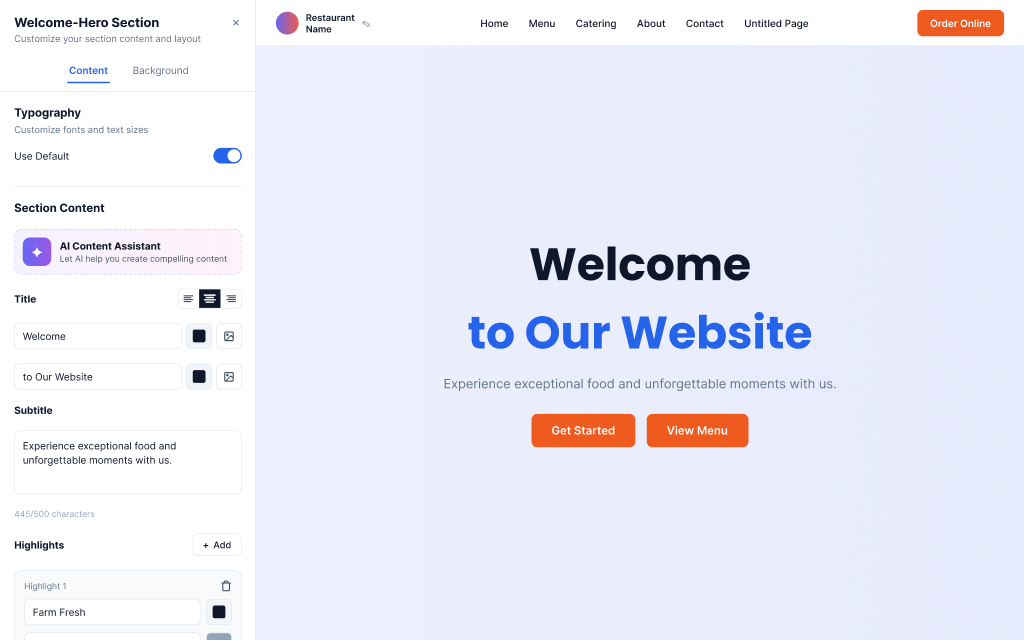
We went beyond matching their feature set. Deeper customization, multi-brand support out of the box, and a builder flexible enough for a single taco shop or a restaurant group running six concepts under one roof. And it still had to feel simpler to use.

Study the competitor. Build the better version. Ship it.

Before designing anything, I did a full UX audit of the leading competitor: every user-facing flow, every friction point, every moment where you had to stop and figure out what to do next. I mapped where their complexity came from: feature sprawl, inconsistent navigation, too many required decisions upfront.

That audit became our design brief. Not "build a website builder," but "build a website builder that never asks users to make a decision they shouldn't have to make yet." Same like the Revi OS work: simplify first, then build. The AI helped us move fast. The design work made sure what we shipped was actually better.

More customizable. Multi-brand ready. Still easier to use.

01

Competitor audit — every friction point documented

Walked through the competitor's entire product as a restaurant owner with no technical background. Catalogued every friction point, every unclear label, every workflow that forced unnecessary decisions.

02

Deep customization with smart defaults

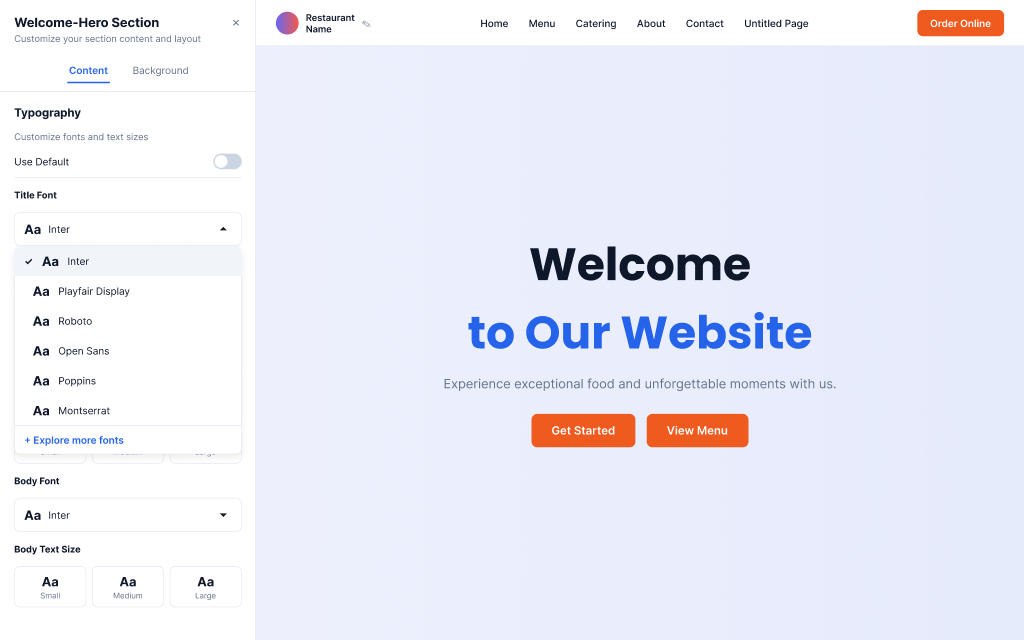
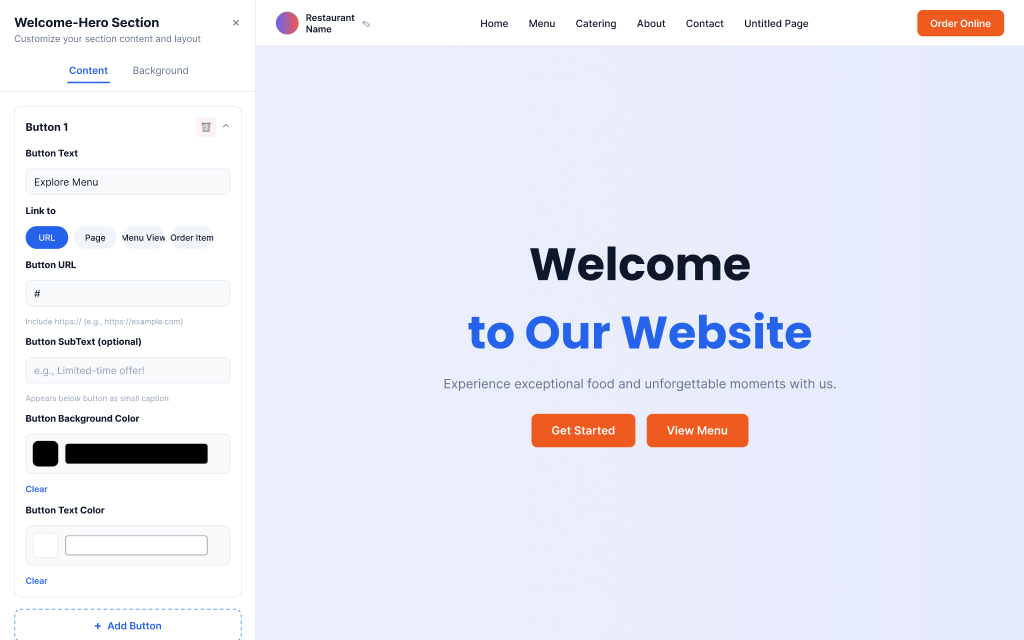
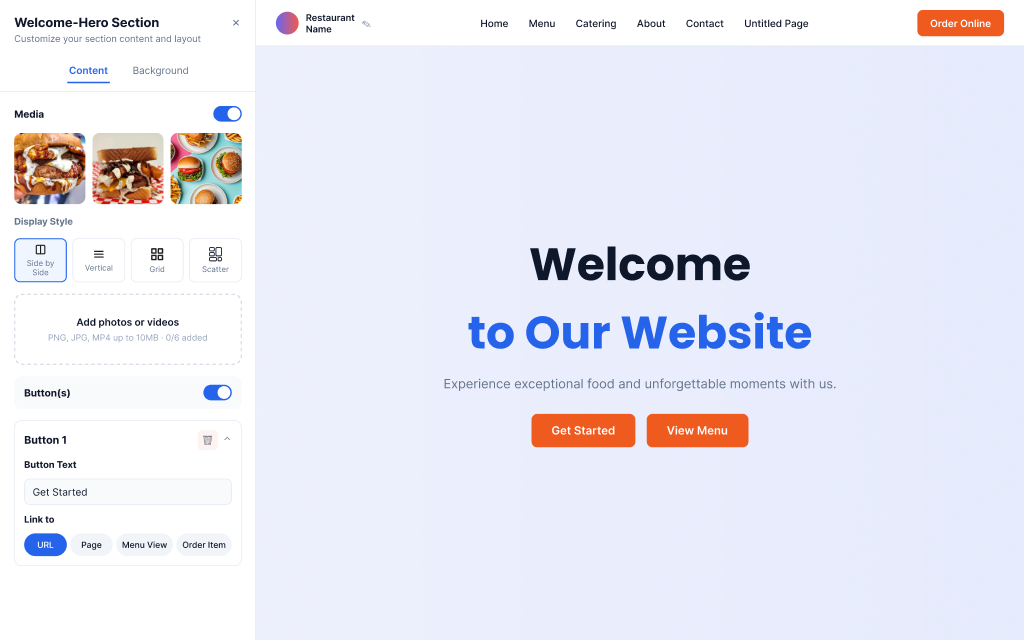
Built a builder that gives operators real control (typography, layout sections, media galleries, process steps) without requiring it. Smart defaults generate a working branded site from a name, category, and logo. Customization is there when you want it, invisible when you don't.

03

Multi-brand architecture from day one

The competitor only supported single-brand setups. We designed for restaurant groups, franchises, and multi-concept operators, all from one dashboard managing multiple branded sites, shared menus, and location-specific content. This was the gap no one else was filling.

04

Website + app in one unified flow

The competitor treated websites and mobile apps as separate products. We made them one decision: same setup, two outputs. AI-assisted build, then design-reviewed for consistency across every screen.

Dozens of businesses switched. The proof was in the migration data.

Dozens
businesses migrated from the competitor to Revi OS
0%
commission on transactions, vs. the competitor's fee model
2-in-1
website + app creation in a single, unified flow
Simpler
setup experience than every direct competitor reviewed

Competitive design is a specific skill. I'd use it again.

The most useful constraint in this project was the explicit competitor target. When you know exactly who you're trying to beat, every design decision has a test: is this easier than what they have? It's clarifying in a way that "make it good" never is.

What I'd push further: user research with actual competitor customers mid-migration. We designed based on our audit of their product, which was rigorous, but hearing directly from switchers about what finally made them leave would sharpen the next iteration significantly.